Project Update: Dec 2025


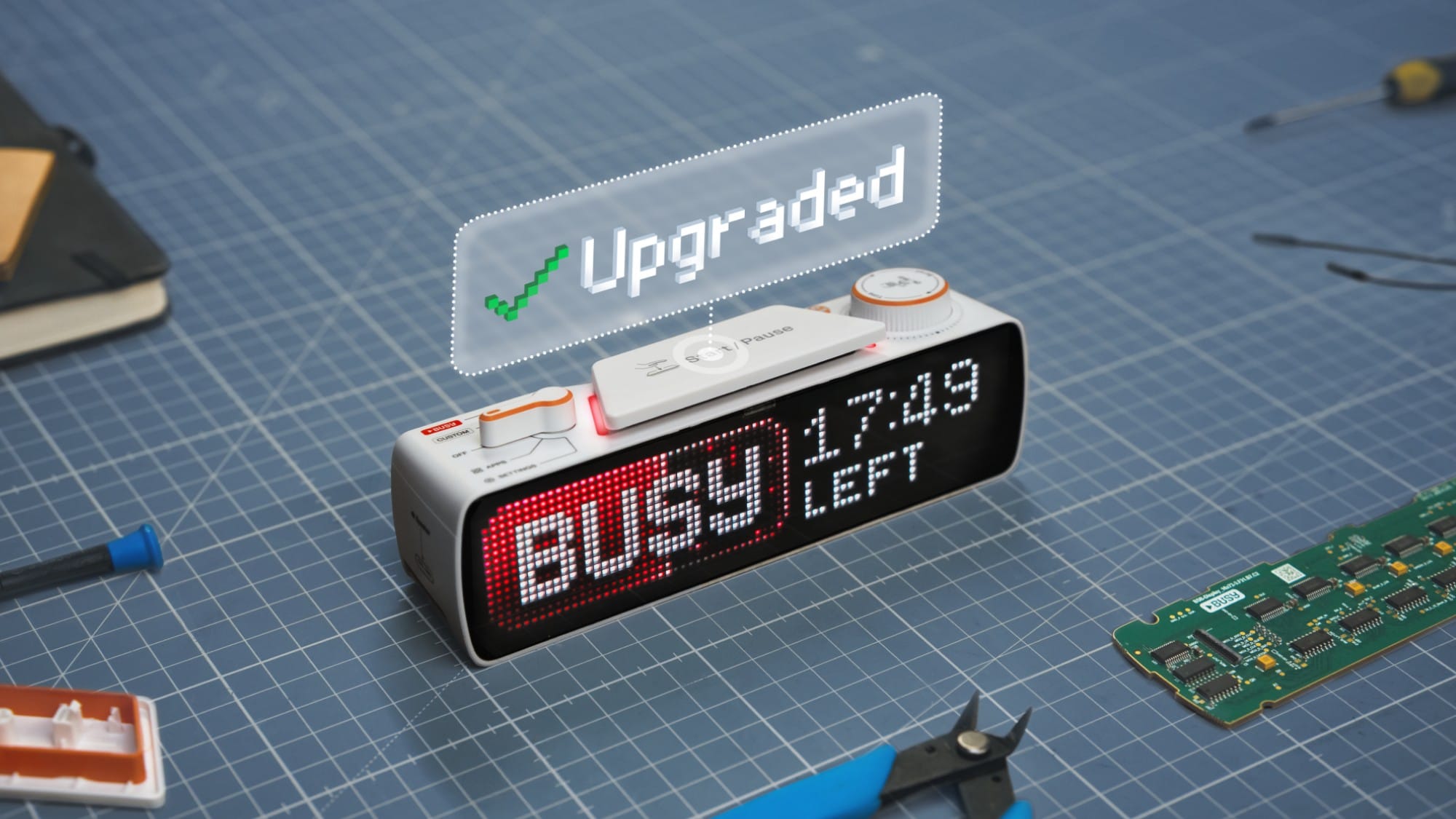
We’re Team BUSY, creating tools and apps to help you stay focused. In this blog, we’re sharing updates on BUSY Bar — an advanced focus timer with a color LED display, distraction-blocking features, smart home integration, and HTTP API.
As we progress towards launch, we want to share our final product update for 2025. In this post, we’ll showcase the most recently implemented features: automatic ON CALL status, Google Calendar integration, Matter protocol support, OTA firmware updates, and more.
Automatic ON CALL status
BUSY Bar can now show ON CALL status automatically, clearly signaling to people around you that you’re on a call and shouldn’t be disturbed.
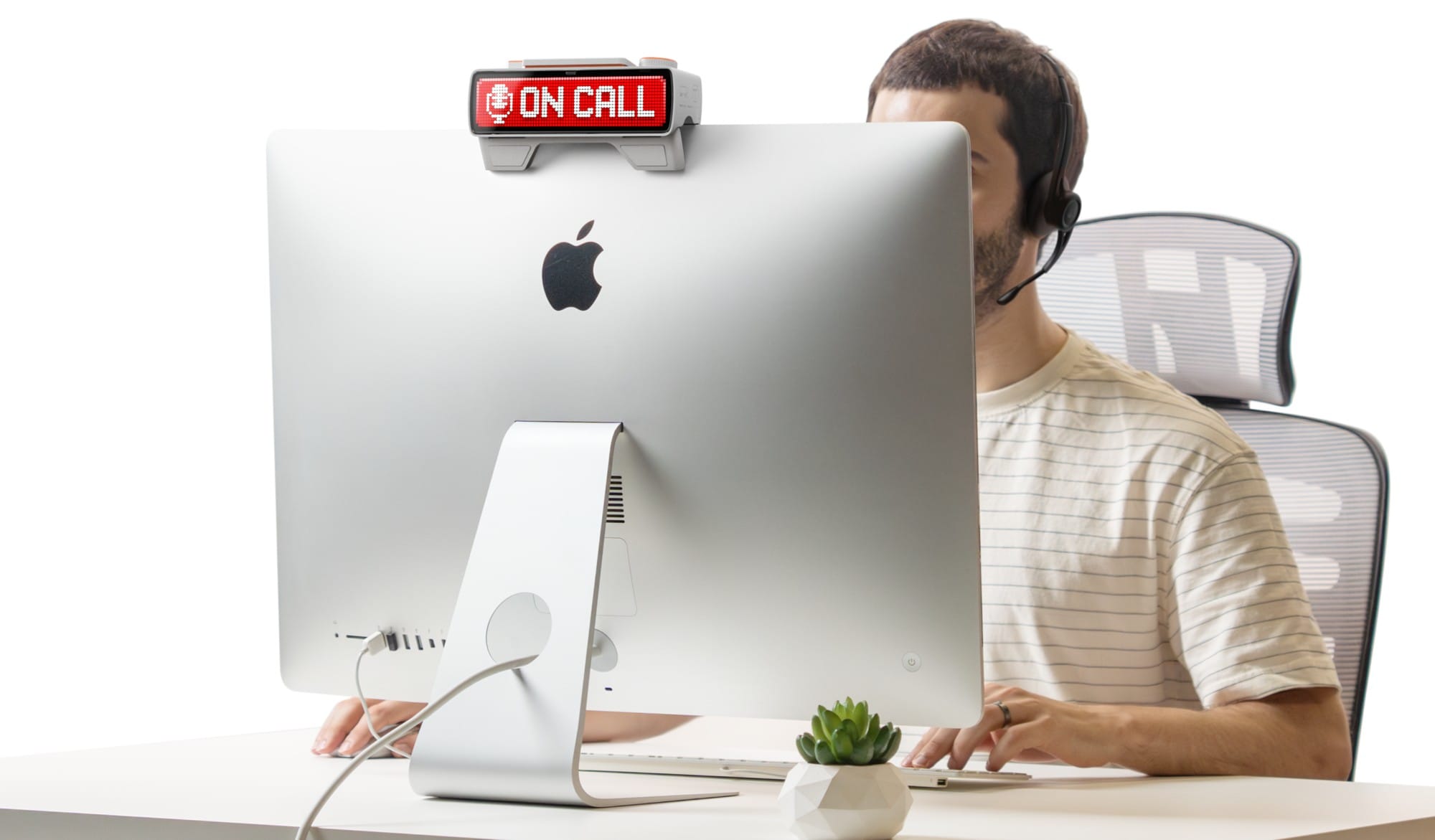
How it works: on your computer, BUSY App runs in the background and monitors microphone usage. When a call starts in any application, BUSY Bar automatically switches to ON CALL. When the call ends, the status is cleared automatically.
[Video] ON CALL status activates as soon as you start using the microphone
This feature doesn’t require any additional permissions, and it cannot listen to the microphone — it only detects when the microphone is being used by other apps. No setup is needed in messaging apps like Slack or Microsoft Teams.
Currently, this feature works only on macOS and when connected via USB. Support for Windows and other connection types will be added later, along with custom statuses.
Google Calendar integration
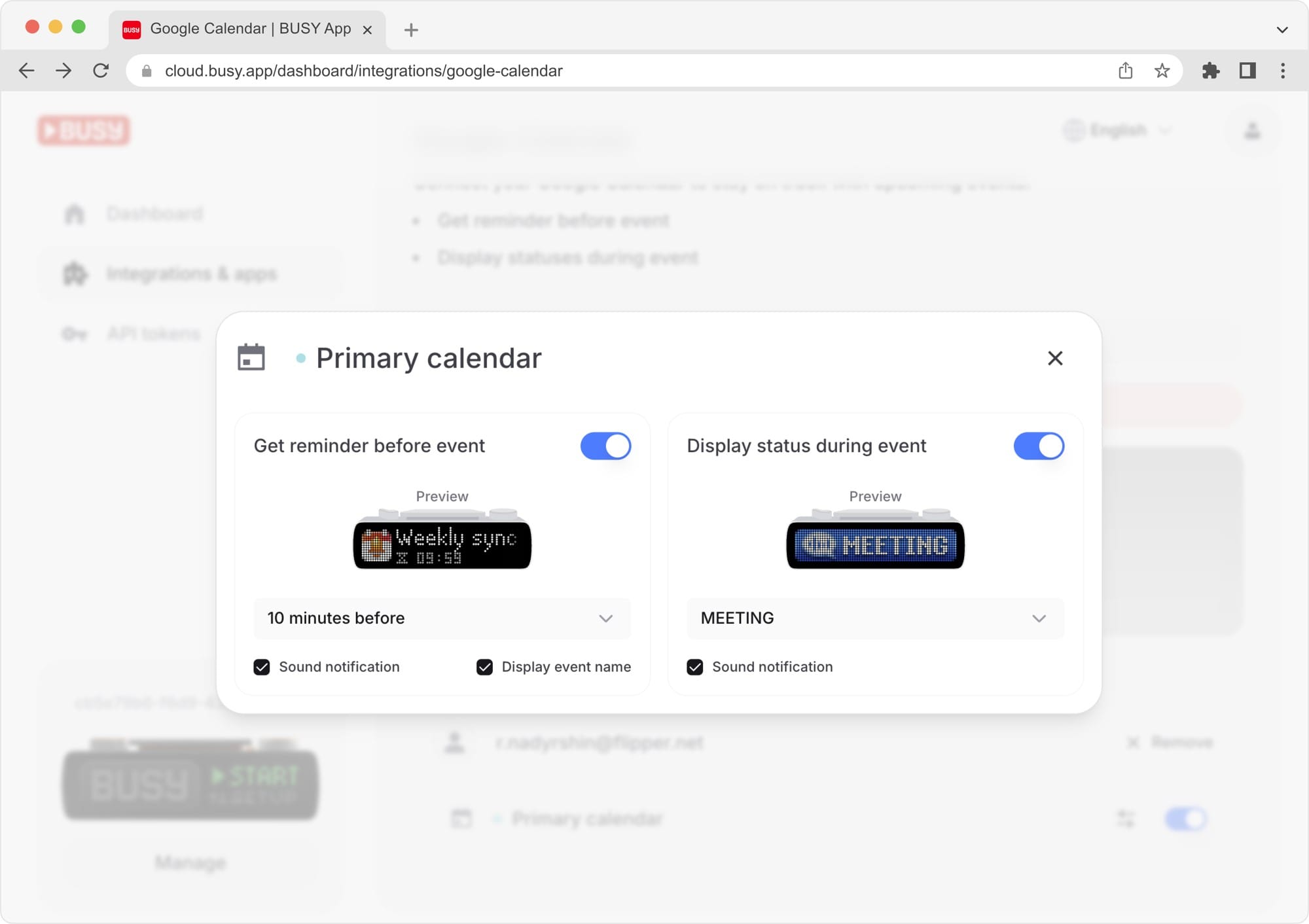
We’ve added Google Calendar sync, allowing meeting and call information to show automatically on BUSY Bar. Before an event starts, BUSY Bar shows a reminder with a countdown timer. When the event begins, the device switches to your pre-selected status.
[Video] BUSY Bar shows an automatic reminder for an upcoming meeting
You can use this feature both for yourself (personal reminders on BUSY Bar) and for others (showing that you’re busy or preparing for a meeting).
The integration is set up in your BUSY account. You can add multiple Google accounts and choose one or more calendars. You can also select the displayed status and set reminder timing. For privacy, event titles can be hidden.
New animation for BUSY mode
We’re continuing to refine the animation for BUSY mode: the main focus status used when you don’t want to be disturbed. With each iteration, the interface has become more dynamic, and key elements — like the current status and remaining time — have become larger and easier to read. You can see the evolution of the BUSY animation in the video below.
[Video] Evolution of the BUSY animation, from left to right
The first version only showed the status and remaining time. In the second version, we added a progress bar at the bottom of the screen. In the third version, the progress indicator was integrated directly into the BUSY status, with more expressive animation.
Firmware update via Wi-Fi
BUSY Bar can now download and install firmware updates over Wi-Fi, without requiring a computer, just like your phone. Updates are initiated from the device settings — automatic overnight updates are coming soon.
[Video] Firmware update process (rear screen)
Smart home support
BUSY Bar supports the Matter protocol, making it compatible with all major smart home platforms. This allows your smart home to react to your BUSY Bar status — for example, adjusting lights, locking doors, or playing music on smart speakers.
[Video] When the status changes on BUSY Bar, the lights change color, and the Google Nest Hub changes music to match
BUSY Bar can be connected to Apple Home, Google Home, Amazon Alexa, Samsung SmartThings, Home Assistant — or even multiple systems at once. All you need to do is scan the QR code on the BUSY Bar back screen using your smart home’s mobile app.
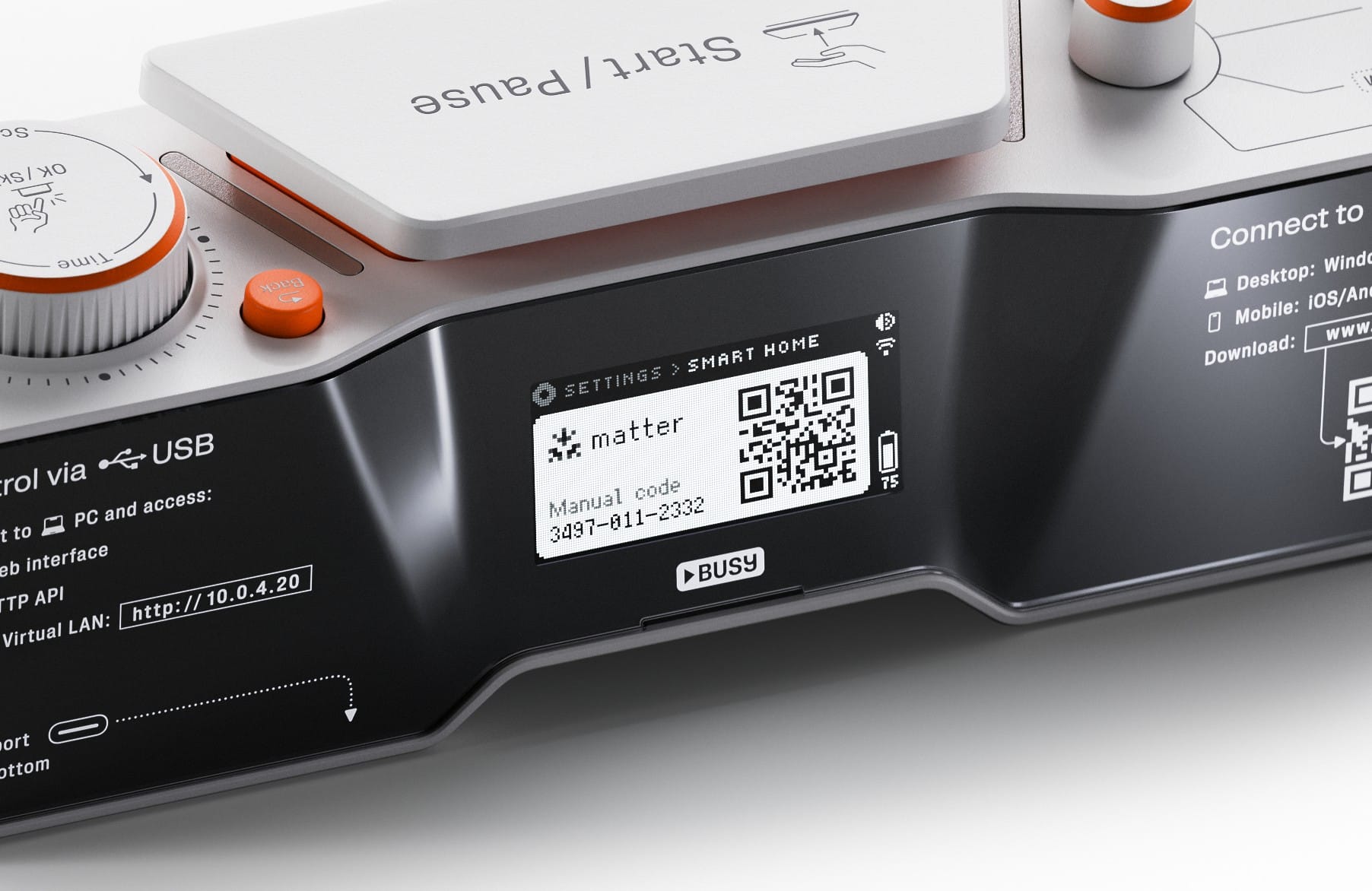
Matter works over the local network, so automations are fast and don’t rely on an internet connection.
Local web interface
We’ve added a local web interface you can access over USB or Wi-Fi. Right from your browser, you can configure BUSY Bar and view its main screen in real time — useful, for example, when the device is mounted on a door and not easily visible.
[Video] BUSY Bar web interface mirrors the device’s main screen and lets you change settings
Currently, the web interface supports:
- Connecting BUSY Bar to Wi-Fi
- Linking BUSY Bar to a BUSY account
- Flashing firmware from a file
- Adjusting screen brightness and notification volume
HTTP API improvements
The open HTTP API allows you to control BUSY Bar via USB, locally over Wi-Fi, or through the internet. You’ll be able to create widgets that run on a computer and use BUSY Bar as a display with a convenient API. You don’t even need to be a programmer — AI assistants handle the API very well. We covered this in more detail in our recent post.
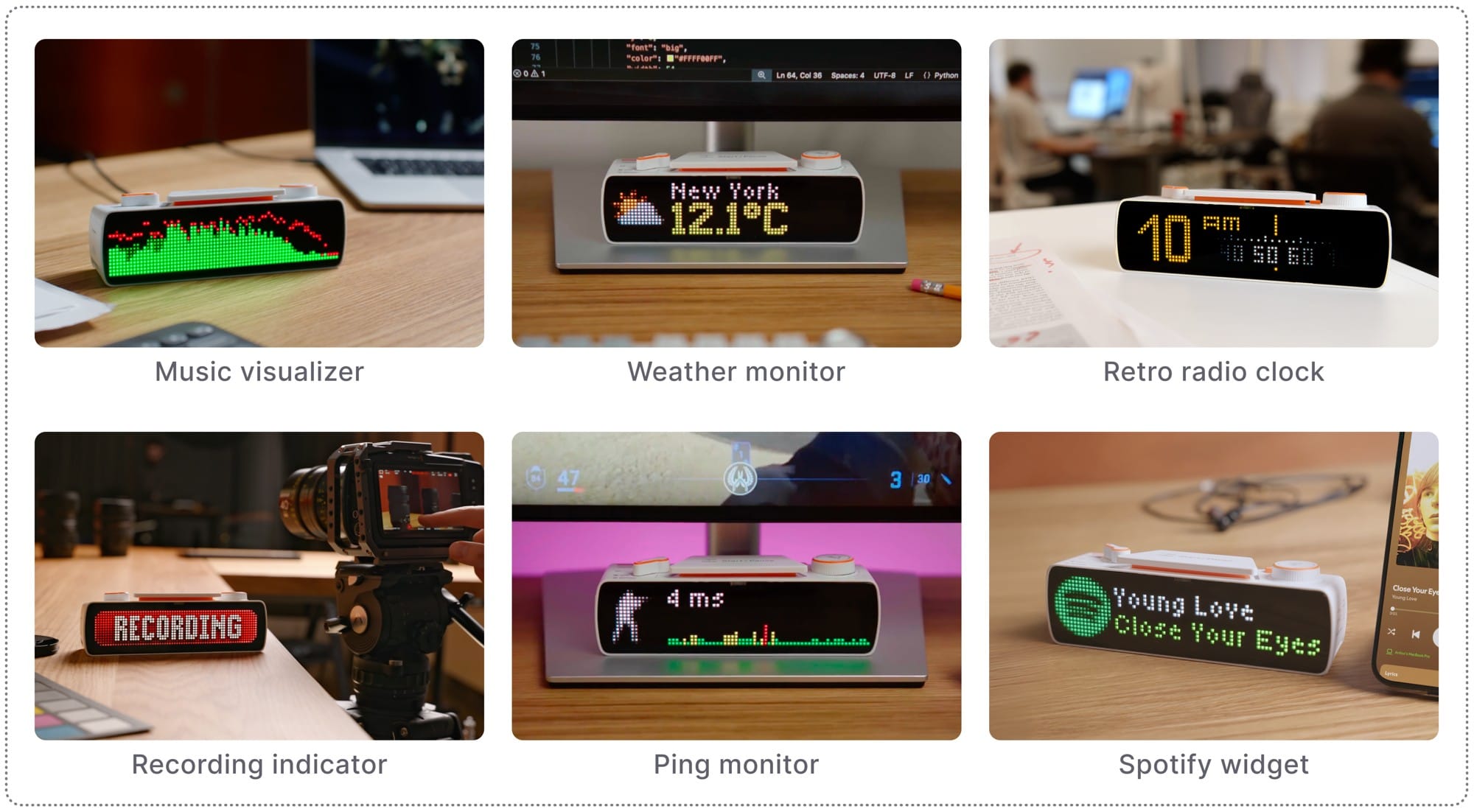
The current HTTP API supports:
- Displaying images, animations, and text
- Playing sounds
- Reacting to interactions with BUSY Bar controls
- Emulating BUSY Bar control actions
- Streaming real-time images from both screens
The latest API update added three proportional font sizes (5, 7, or 10 pixels), advanced text alignment, and automatic scrolling if text doesn’t fit the specified width.
[Video] HTTP API text rendering improvements: 3 font sizes, auto-scroll for long text, and text alignment
Kickstarter coming soon
In early 2026, we’re launching our Kickstarter campaign. Place a pre-order in our store to get access to special Early Bird pricing once the campaign goes live:

Don’t forget to visit the project website at www.busy.bar and try out BUSY App — available now!